Compliance alerts with the exact words from the call
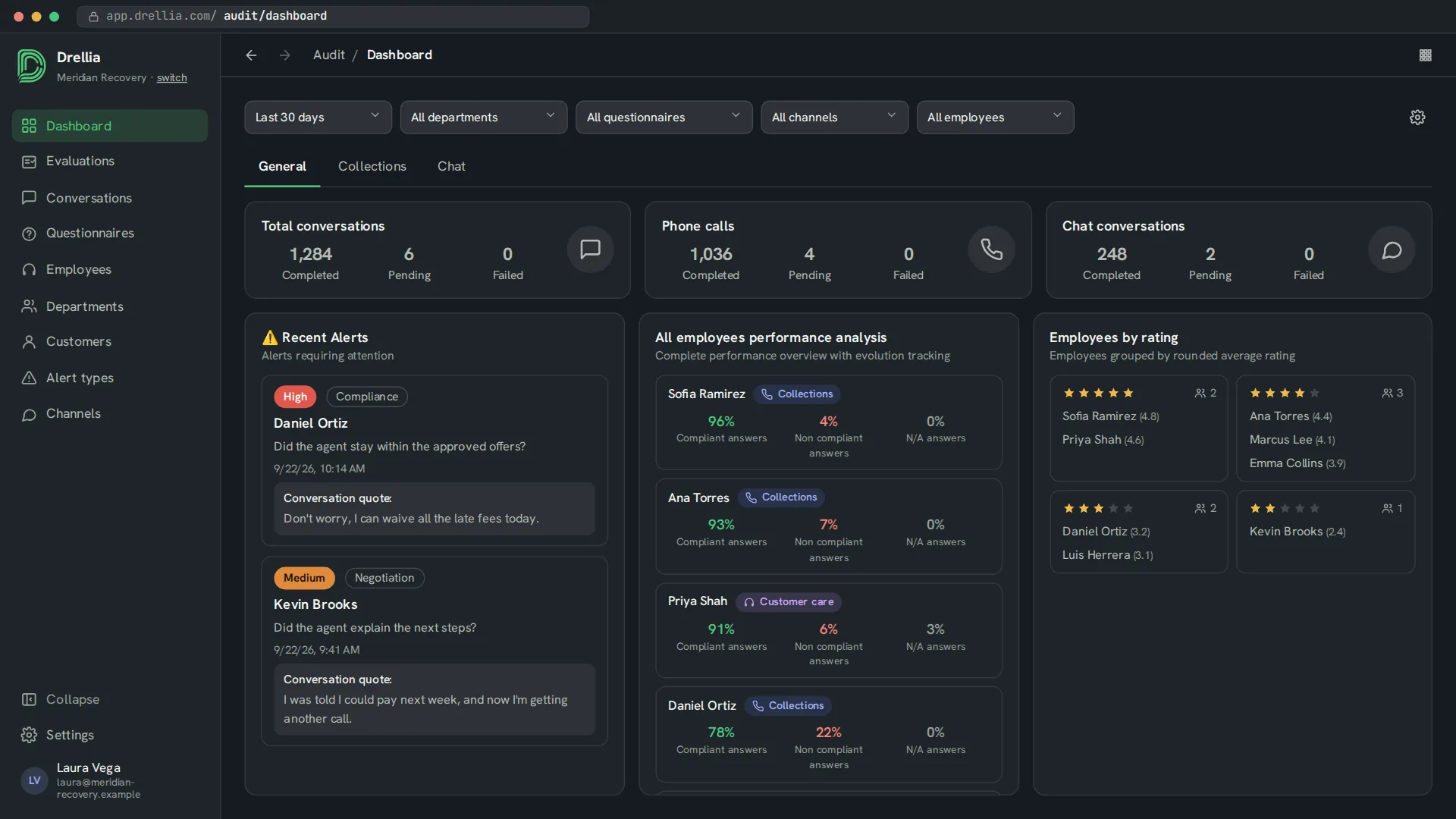
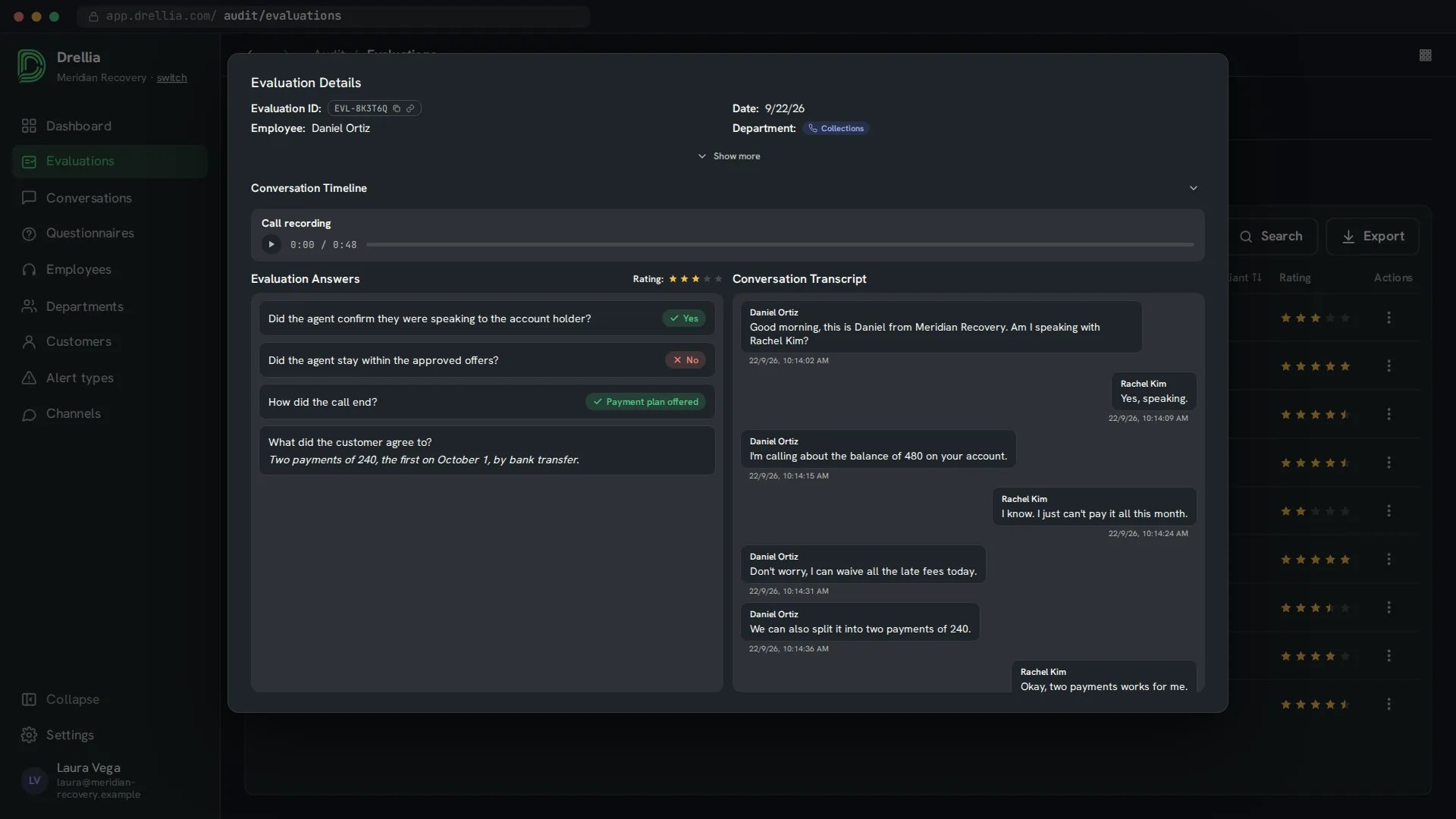
When a conversation misses a question you flagged, Drellia raises an alert. It shows the alert type and its level, the employee, the question, the time and a quote from the conversation.
Reviewers start with the failures that matter instead of listening to calls at random, and the quote lets them judge the alert in seconds.
See the failures that matter first
Low, medium and high
Each alert type has a level of low, medium or high, so the most serious failures stand out.
Your own alert types
Name each alert type after the risk it covers, such as compliance or negotiation, and describe in plain words when it must trigger.
The quote from the conversation
Each alert shows the words from the call or chat that triggered it.
Question and conversation alerts
Link an alert type to a single question, or check up to 10 alerts against the whole conversation.
Alerts by employee
See which employees raise the most alerts, next to their compliance.
From a missed question to a reviewed alert
- 01
Define alert types
Create the alert types you need, give each one a level and describe when it applies.
- 02
Link them to your questionnaire
Set the alert type on the questions that must not be missed, or on the whole conversation.
- 03
Review the alerts
When an evaluation breaks one of them, the alert appears on the audit dashboard with its quote.
Alerts: common questions
When is an alert raised?
When an evaluated conversation gives a non-compliant answer to a question linked to an alert type, or matches a conversation alert you set on the questionnaire.
What do low, medium and high mean?
They are the level you give each alert type. Use high for failures that need attention right away, and low for things to track over time.
Where do I see alerts?
On the audit dashboard, in the Recent Alerts and Alerts by Employee widgets, which follow the dashboard filters.
Do alerts cover chats as well as calls?
Yes. Chats are evaluated with the same questionnaires, so a missed flagged question raises an alert in the same way.
Related features
See which of your calls would raise an alert
Book a 20-minute walkthrough and see it with examples from your own industry.
Book a demo