Call center QA dashboards by employee and department
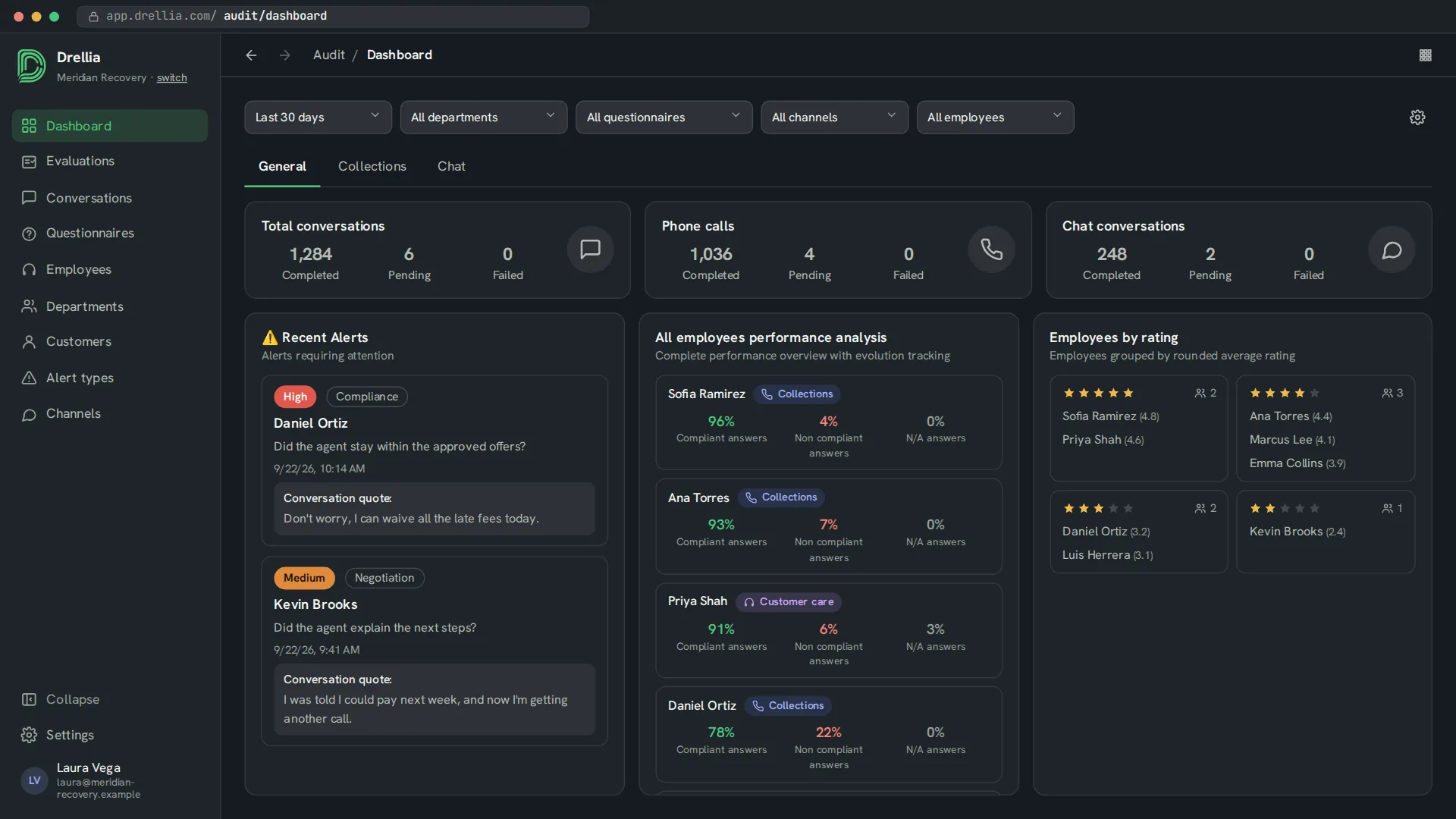
Every evaluation adds up. The audit dashboard shows how many conversations were evaluated, the recent alerts, each employee's compliant and non-compliant answers, and employees grouped by rating.
Coaching starts from facts about all of an employee's conversations, not from the one call that happened to be reviewed.
From every conversation to a clear picture
Performance per employee
Compliant, non-compliant and N/A answers for each employee, rankings and employees grouped by their average rating.
Department views
Compare compliance and conversation volume across departments and channels.
Your own tabs and widgets
Add tabs, pick from more than 20 widgets (alerts, question statistics, trends, transfers and more), and drag and resize them.
Filters
Filter by date range, department, questionnaire, channel and employee.
Exports and scheduled reports
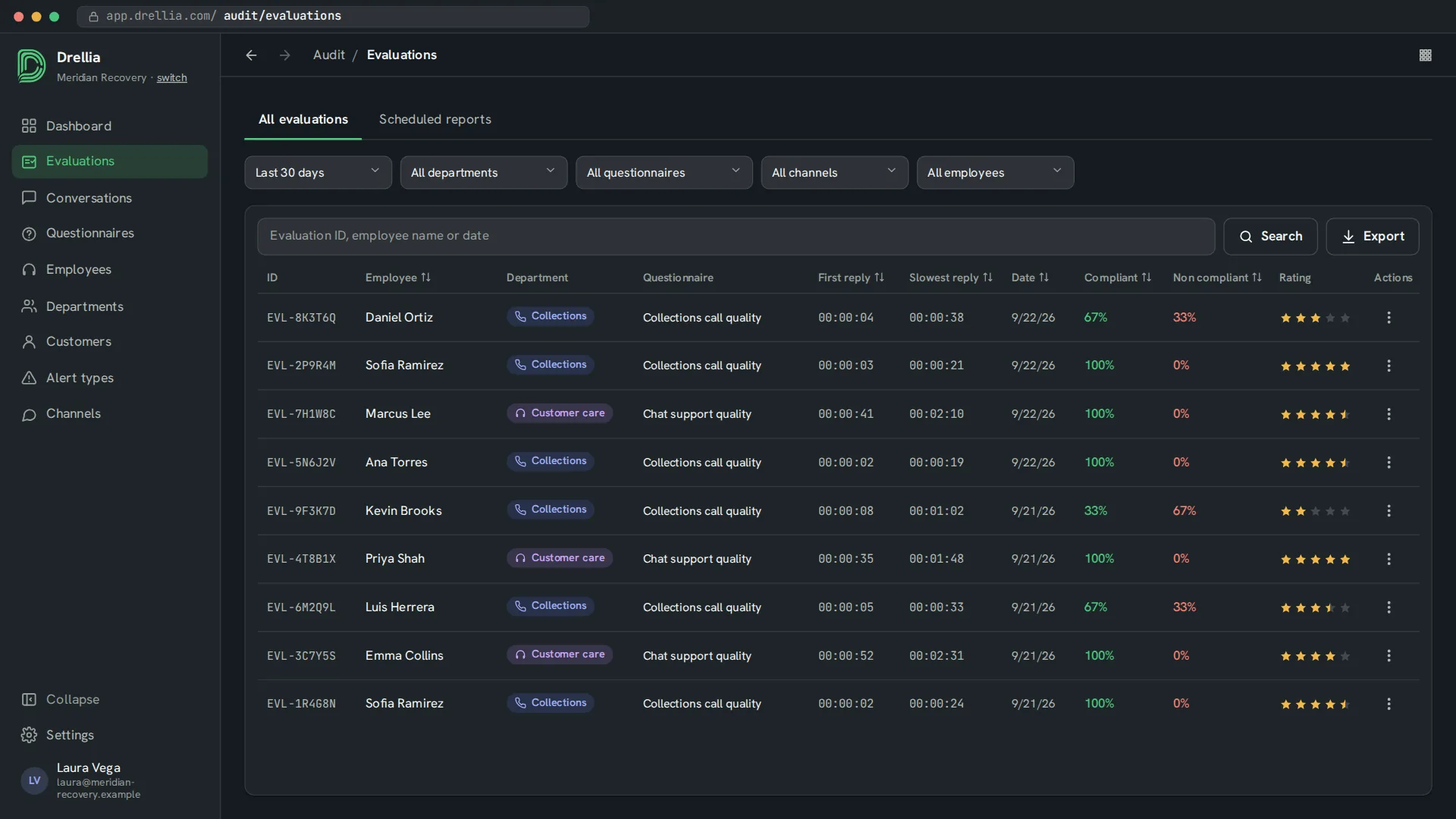
Export evaluations to CSV now, or schedule a daily, weekly or monthly export.
From evaluations to decisions
- 01
Evaluate conversations
Every call and chat you send is scored against your questionnaires.
- 02
Filter the view
Pick the period, department, questionnaire, channel or employee you care about.
- 03
Act on it
Open an employee's evaluations, review the alerts and schedule recurring exports.
Dashboards: common questions
Can I see results per employee?
Yes. The dashboard shows each employee's compliant, non-compliant and not-applicable answers and groups employees by rating. You can open an employee to see their evaluations.
Can I compare departments?
Yes. Employees belong to departments, and widgets show compliance, conversations and channels by department.
Can I build my own dashboard?
Yes. Add tabs, for example one per program or channel, and fill each with the widgets you need. Widgets can be dragged and resized.
Can I export the results?
Yes. You can export evaluations to CSV right away or on a daily, weekly or monthly schedule.
Can I ask questions the dashboard does not answer?
Yes. Drellia Chat answers questions about your evaluations in plain language, with a short summary and a chart.
Related features
See your team's compliance on one screen
Book a 20-minute walkthrough and see it with examples from your own industry.
Book a demo