Set up an AI voice agent: prompt, voice and language
You set up a Drellia voice agent the way you brief a new team member: what the call is for, the checks to make, what it may offer and the tone to keep. Then you pick the voice it speaks with and the language it speaks.
The playbook stays in plain words that your team can read and change, and you can hear the result in a test call before any customer does.
Everything the agent needs to know
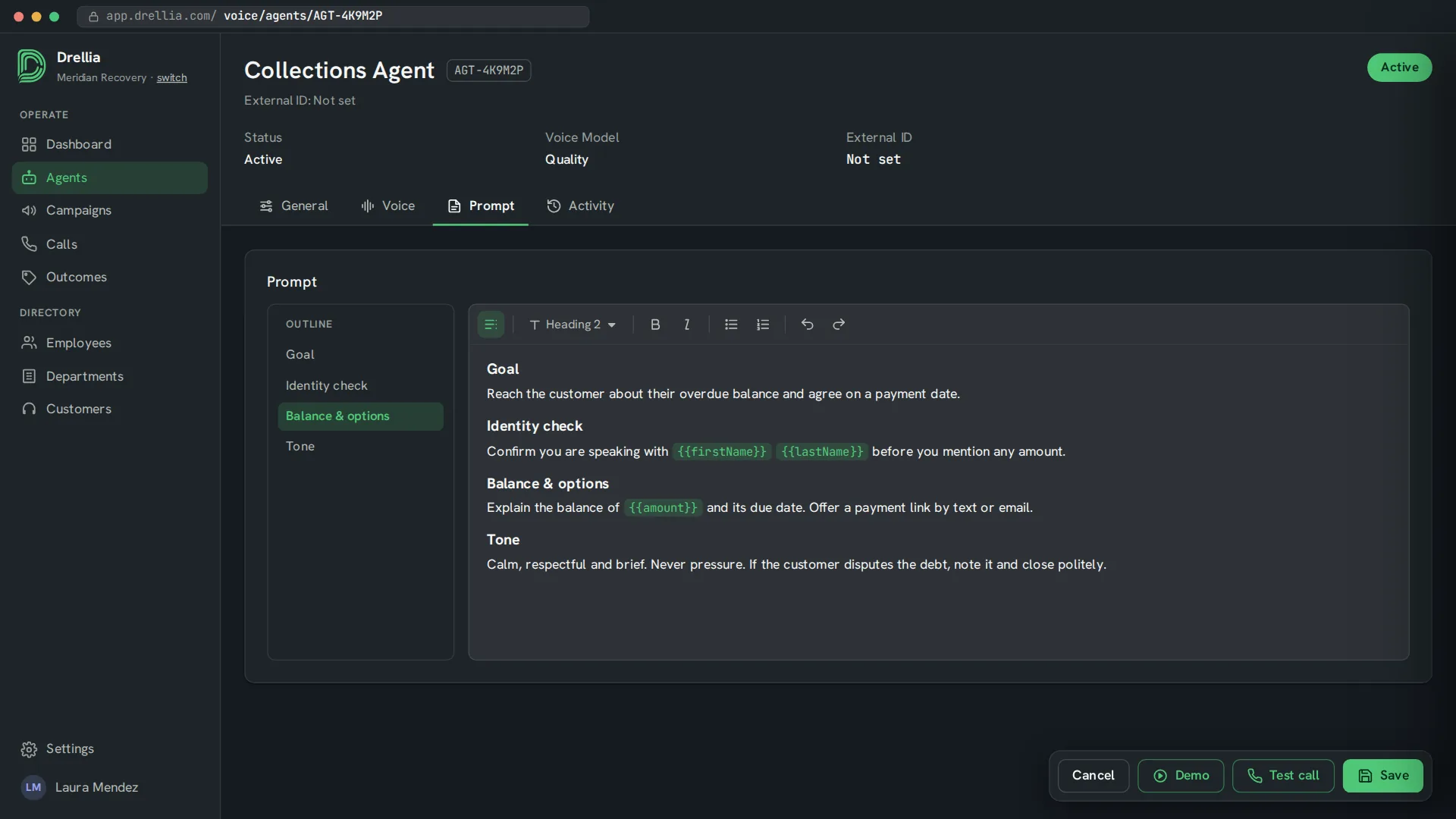
A prompt in plain words
Write the agent's instructions in your own words, with variables that are filled in with each contact's details.
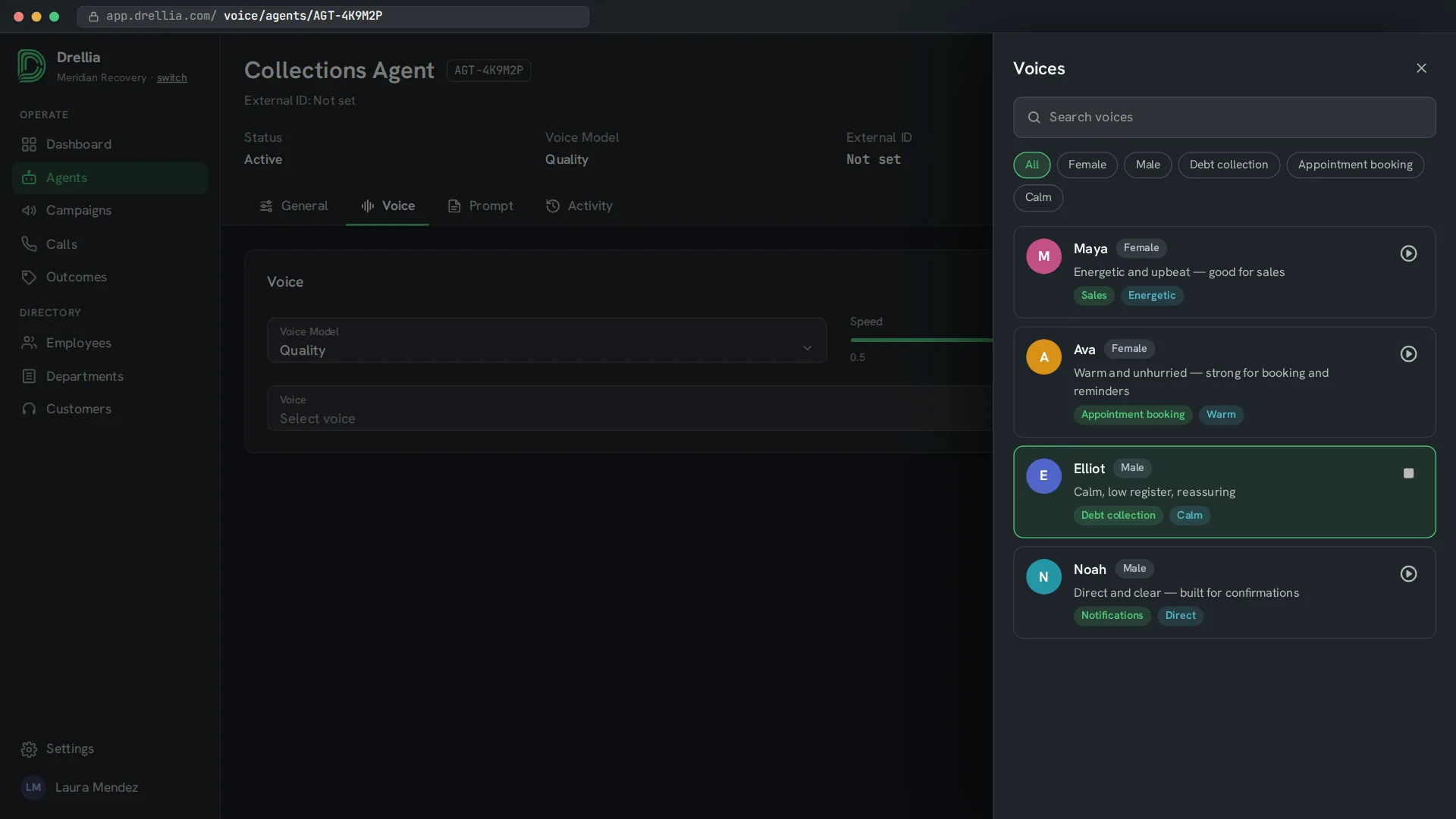
A voice that fits the call
Search voices, filter them by use case such as debt collection, sales or appointment booking, and preview each one.
Language, speed and model
Set the language the agent speaks, its speaking speed, the voice model (quality, balanced or fast) and the language model.
Demo call from the browser
Talk to the agent through your microphone, with a live transcript, before it calls anyone. You can also place a test call to a real phone.
Inbound calls
Let the agent answer calls to an inbound phone number as well as place outbound calls.
From brief to a tested agent
- 01
Write the brief
Describe the goal of the call, the checks to make, what the agent can offer and its tone.
- 02
Pick voice and language
Preview voices, choose one, and set the language and speed.
- 03
Try it
Run a demo call from your browser and adjust the prompt until it sounds right.
Agent setup: common questions
Do I need to write code?
No. The agent's behaviour is described in plain language in its prompt.
Which languages can an agent speak?
Any language its text-to-speech voice supports, including English and Spanish. Each agent speaks the one language you choose for it.
How do I choose a voice?
Filter the voice list by use case or gender, listen to a preview and pick the one that fits the call.
Can I try the agent before launching a campaign?
Yes. Run a demo call from your browser, or place a test call to a real phone.
Related features
Brief an agent with us and hear it on a call
Book a 20-minute walkthrough and see it with examples from your own industry.
Book a demo