Outbound AI calling campaigns you can follow live
A campaign puts a voice agent to work on a list of contacts. You upload the list, choose the agent, set when it may call and how often it retries, and launch.
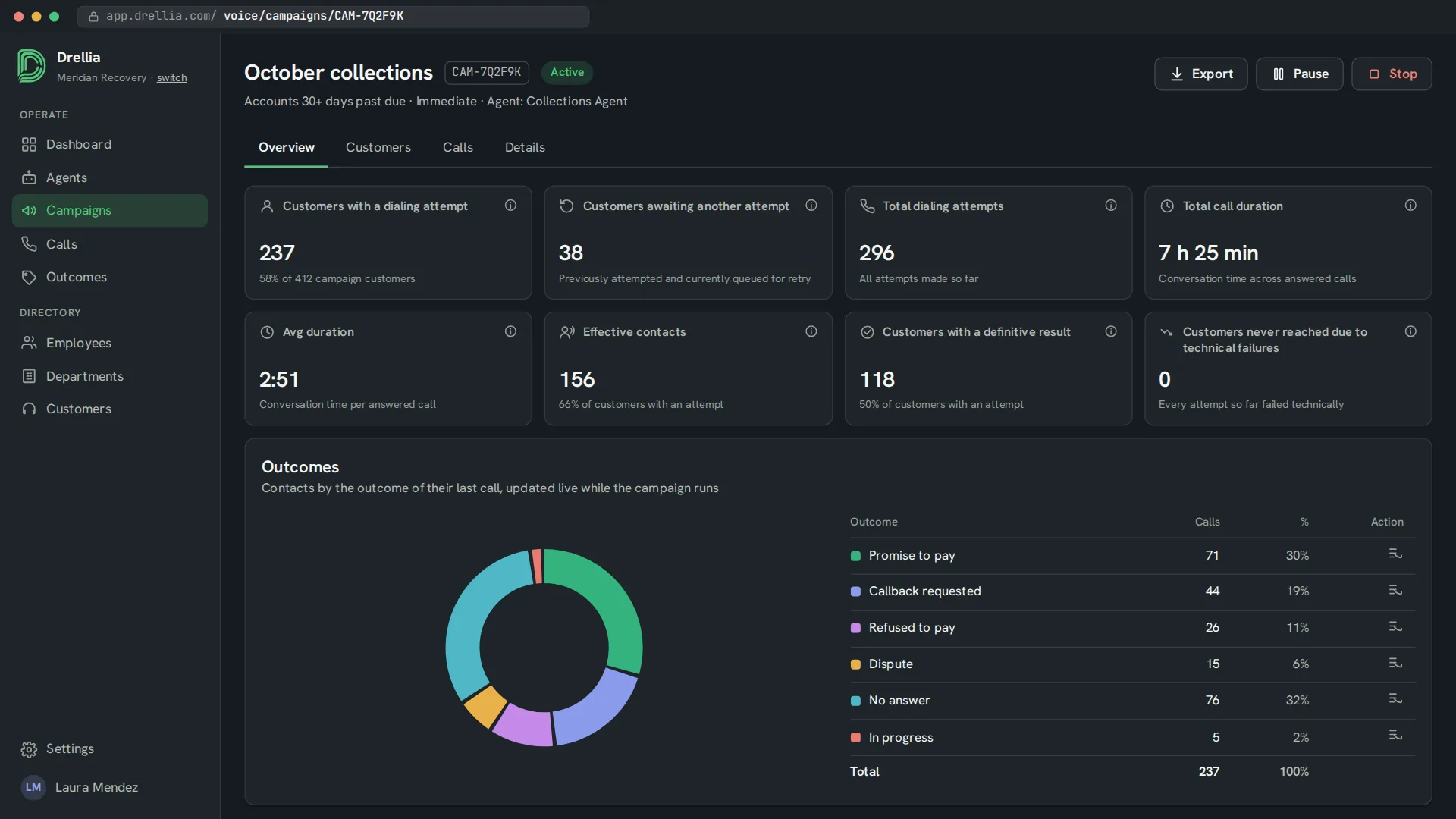
While it runs, you see how many customers were reached, who is waiting for another attempt and how each call ended, without waiting for an end-of-day report.
Everything a calling campaign needs
Contact lists from CSV
Upload a CSV file. Columns are matched automatically, and rows with a missing, invalid or duplicate phone number are flagged and skipped.
Schedule and working hours
Start right away, once or on a recurring schedule, and only call during your working hours.
Retries and concurrent calls
Set the number of attempts, the wait between them and which failures to retry, and how many calls run at the same time.
Handover to a person
Give the campaign a phone number, and the agent can transfer the call to a person when the conversation needs one.
Launch, pause, stop, recycle
Control the campaign at any time, and start a new one from the customers who were not reached.
Live results
Attempts, effective contacts, call time and outcomes update while the campaign runs. Listen to calls live, and export the calls to a spreadsheet.
From a contact list to results
- 01
Upload contacts
Import the CSV and check how its columns were matched.
- 02
Set the rules
Choose the agent, the schedule, the working hours, the retry rules and the number of concurrent calls.
- 03
Launch and follow
Review, launch and watch attempts and outcomes as they come in.
Campaigns: common questions
What do I need to start a campaign?
A voice agent, a phone line (your own SIP trunk or a Drellia-managed one) and a CSV file with your contacts. Only the phone number column is required.
Can I limit when customers are called?
Yes. The campaign can call only during your organization's working hours or custom hours set for that campaign.
What happens when nobody answers?
The contact is queued for another attempt according to your retry rules. The campaign page shows how many customers are waiting for one.
Can I stop a campaign halfway?
Yes. You can pause a campaign and resume it later, or stop it for good.
Related features
See a campaign run on your own use case
Book a 20-minute walkthrough and see it with examples from your own industry.
Book a demo