AI voice agents that follow your playbook.
Brief an AI voice agent the way you would brief a new team member: persona, greeting, voice, language and the rules it must follow. Drellia runs your outbound campaigns and answers inbound calls over your own phone lines, hands over to a person when needed, and keeps every call recorded for review.
See it in action
Where teams put AI voice agents to work
Collections and payment reminders
Reach customers with pending balances, record promises to pay and send a payment link over WhatsApp during the call.
Inbound customer care
Answer frequent questions from your own knowledge base and transfer the caller to a person when the case needs one.
Reminders and confirmations
Call lists of customers to confirm, remind or reschedule, inside the calling hours you set.
Sales and lead follow-up
Follow up on leads and qualify them with your own script, and record the answers as structured data.
Retention and win-back
Contact customers who are about to cancel or have lapsed, and route the interested ones to your team.
Data collection and surveys
Ask a fixed set of questions and store each answer against the contact for your reports.
Configure, launch and review from one place
Explore voice agents, feature by feature
Everything a voice agent needs to run in production
Prompt-defined behaviour
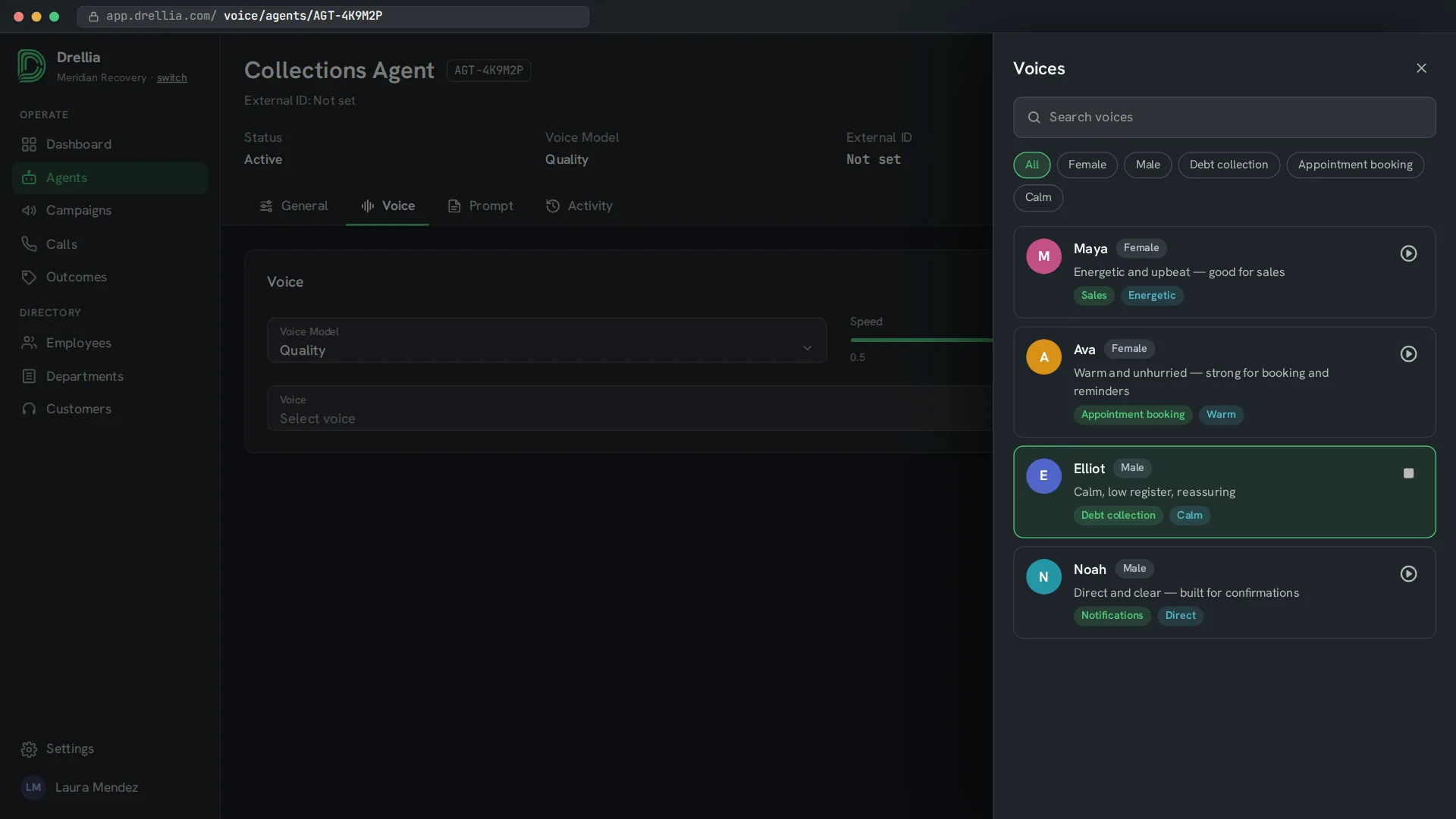
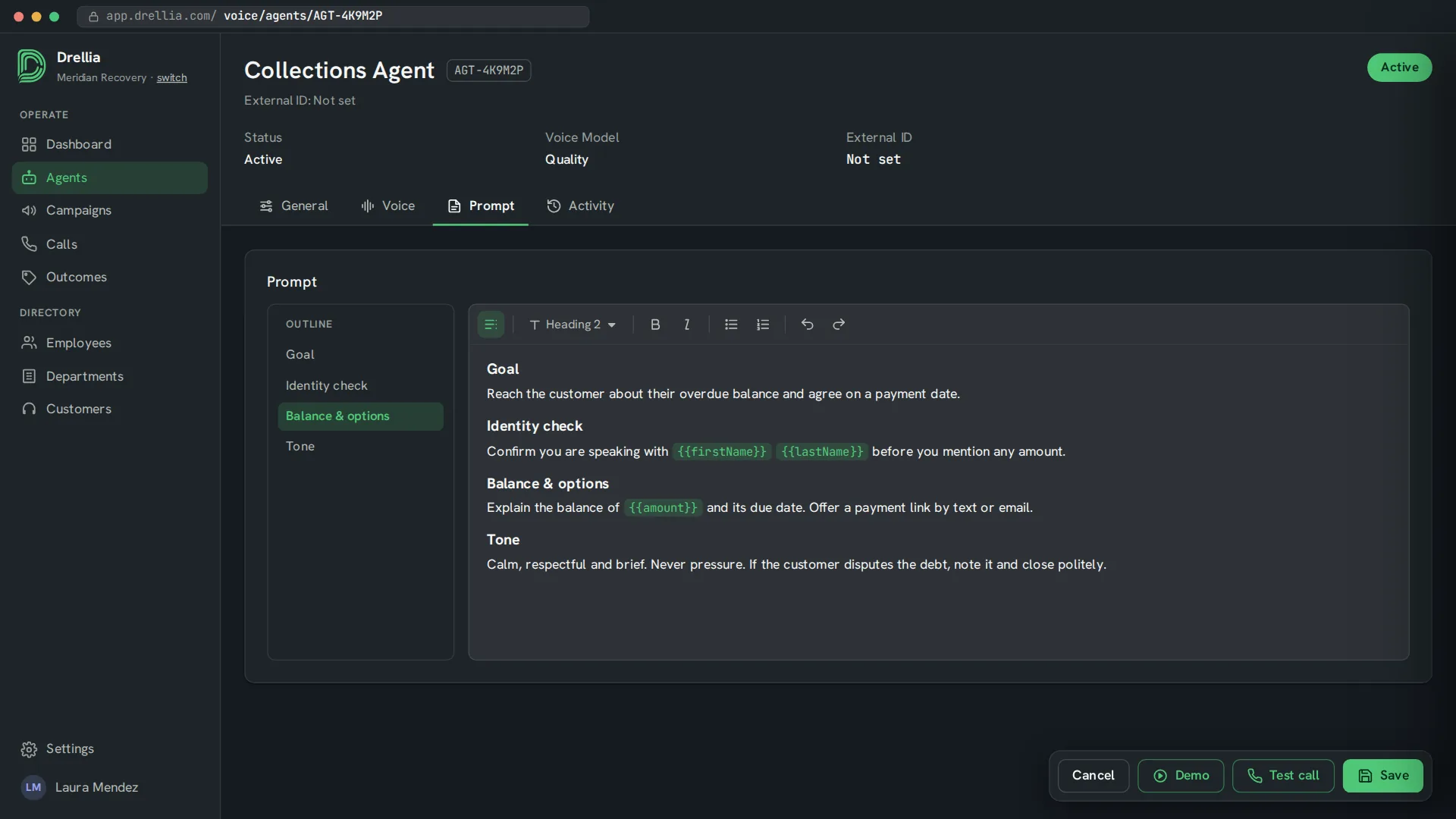
Set the system prompt, greeting, voice, speaking speed, language and language model for each agent.
Outbound campaigns
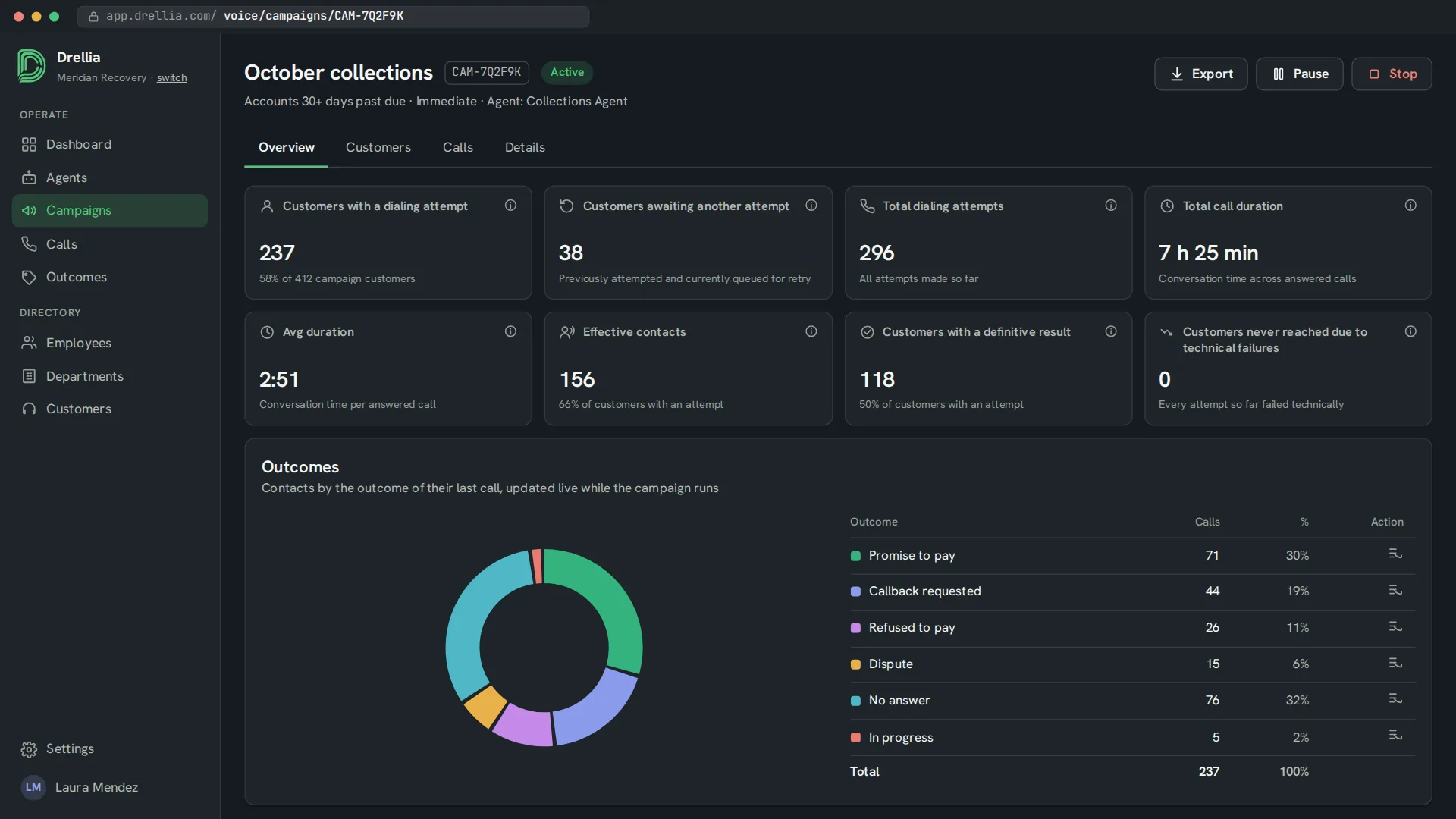
Upload a CSV of contacts, then set schedules, calling windows, retry rules and a cap on concurrent calls.
Inbound calls
Answer calls that arrive through your SIP PBX, a Twilio SIP trunk or Amazon Connect.
Handover to a human
The agent transfers the call to a person when the conversation needs one.
Knowledge base and tools
Answers come from your own documents. During the call, the agent can record data, send an email or a payment link, and call your HTTP APIs.
Bring your own carrier
Connect your own SIP trunk or use a Drellia-managed trunk.
Call outcomes
Each call ends with an outcome, so you can see who paid, who asked for a callback and who could not be reached.
Recorded and audit-ready
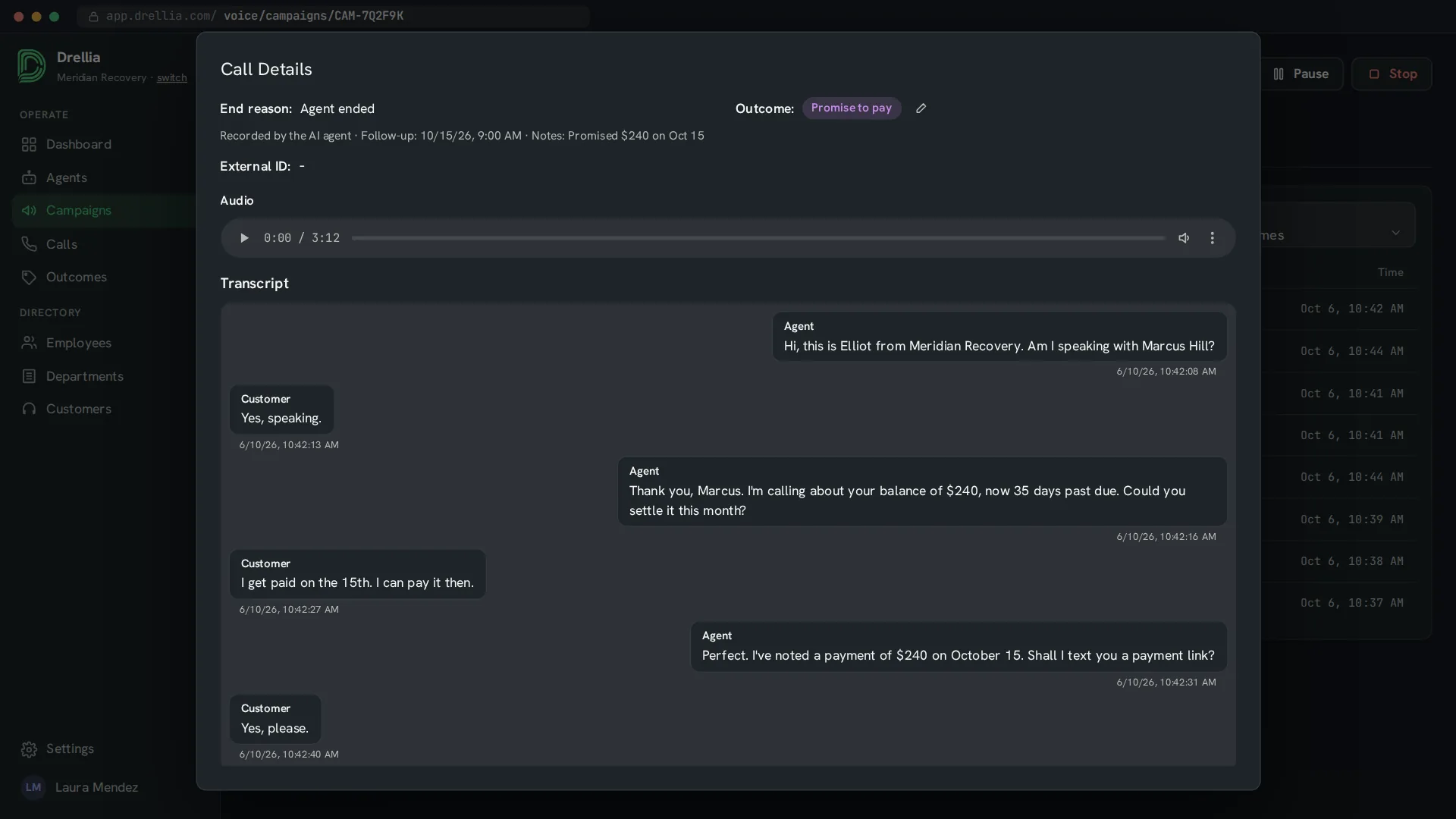
Calls are recorded and transcribed, and you can evaluate them against your questionnaires, just like calls handled by your team.
From brief to live calls
- 01
Brief the agent
Write the prompt and greeting, choose a voice and language, and add the documents it can answer from.
- 02
Connect lines and contacts
Connect your telephony, upload your contact list and set calling windows and retry rules. Try the agent with a test call from your browser.
- 03
Launch and review
Start the campaign, follow the calls in progress and review outcomes, recordings and transcripts.
AI voice agents: common questions
What is an AI voice agent?
An AI voice agent is software that holds a phone conversation on its own. It follows the instructions, knowledge base and rules you give it. With Drellia, it can place outbound calls from a campaign or answer inbound calls.
Can the voice agent transfer a call to a person?
Yes. You can give the agent a transfer number, and it hands the call over to a person when the conversation needs one.
Do I have to change my phone provider?
No. You can connect your own SIP trunk or PBX, or use a Drellia-managed trunk. Inbound calls can also arrive through Twilio SIP trunking or Amazon Connect.
Which languages do the voice agents speak?
Any language their text-to-speech voice supports, including English and Spanish. Each agent speaks one language, which you choose when you set it up, together with a voice that fits the call.
Are voice agent calls audited too?
Voice agent calls are recorded and transcribed. You can switch on analysis for each agent, and its calls are then evaluated against your questionnaires, just like calls handled by your team.
Can I test an agent before it calls customers?
Yes. You can talk to the agent from your browser with a test call before you launch a campaign.
See an AI voice agent run your playbook
Tell us which calls you want to automate. We will show you how an agent handles them, and where it hands over to your team.
Book a demo